
EasyWin App Download on PC for Nigerian Users
📲 Learn how to easily download and install EasyWin app on your PC with safe steps, tips, and tricks tailored for Nigerian users to enjoy gaming and transactions hassle-free.
Edited By
Oluwaseun Balogun
Downloading the latest version of the Easywin NG app is straightforward, but you must follow some key steps to avoid issues common in Nigerian mobile usage environments. Easywin NG is a popular sports betting platform, so ensuring you have the most updated app improves security, access to latest markets, and smooth betting experience.
Before downloading, confirm your device meets the minimum requirements. Easywin NG generally supports Android devices running version 7 and above, since most Nigerian users operate Android phones. The app typically requires about 60MB of storage space, so ensure you have enough free memory.
For iOS users, support can be limited or unavailable, making Android the primary platform. Using older or low-storage devices often leads to installation failures or poor app performance.
Avoid downloading the app from unofficial or unverified sites; they pose security risks including malware or phishing attacks. The best approach is to download directly from the official Easywin NG website or trusted app stores where the developer has control over updates.
Since Easywin NG is a third-party app, you may need to adjust your phone settings to allow installation from unknown sources. On Android, this means enabling "Install unknown apps" for your browser or file manager. Always disable this setting after installation to keep your device secure.
Download the APK file and keep it in an easy-to-find location.
Use a file manager to locate and tap the APK to start installation.
If the installation stalls, restarting your device can help clear memory and locks.
If you encounter errors, it may be due to storage limits, incompatible device firmware, or interrupted downloads. Clearing cache or freeing up space often solves the problem.
Always remember to check for official updates regularly. Using outdated Easywin NG versions risks losing access to bonuses and fixed bugs.
Following these clear, practical steps will ensure your download and installation of the Easywin NG app is smooth even in Nigeria’s sometimes challenging mobile environment. Stay updated to keep your betting sharp and secure!
Understanding the Easywin NG app is essential before downloading it, especially for users engaged in sports betting and online gaming. This overview highlights what the app offers and why it resonates strongly with Nigerian users. Knowing its features and appeal helps you make an informed decision about installing and using it effectively on your device.
Easywin NG delivers a straightforward, user-friendly platform for sports betting, casino games, and virtual betting. It provides real-time access to a wide range of sports events, including football matches from the Nigerian Professional Football League (NPFL) as well as international leagues like the English Premier League and La Liga. Users benefit from live betting options, allowing bets on matches as they unfold, which is quite popular among Nigerian bettors who enjoy the thrill of in-play betting.
Besides sports, the app features virtual games such as virtual football and dice, giving users more ways to engage and win. It also supports multiple payment options familiar to Nigerian users, including bank transfers (using BVN), USSD codes, and mobile wallets like OPay and PalmPay, making deposits and withdrawals more convenient.
The app further provides quick access to betting tips, statistics, and match analysis, helping punters make better-informed decisions. Notifications on match updates and bonuses ensure users never miss out on promotional offers or important events.
Easywin NG aligns well with the Nigerian market in several ways. Firstly, its interface is built to work efficiently on a range of devices commonly used in Nigeria, including lower-end Android phones with limited storage and data bandwidth. This ensures users in both urban and rural areas can enjoy smooth betting experiences without constant interruptions.
Moreover, the app reflects popular Nigerian betting behaviours, like pre-match and live betting, catering to both casual bettors and seasoned players. Its localised payment methods reduce the hassle typically associated with international platforms, making cash flow faster and smoother. Plus, the app frequently offers promotions and bonuses tailored for Nigerian users, especially around football tournament seasons and ember months—a time when betting tends to surge.
Another point of appeal is the app's support for multiple Nigerian languages and clear customer service options reachable via WhatsApp or phone, which helps build trust among users who may be sceptical about online betting platforms.
For Nigerian bettors and finance professionals looking to integrate sports betting into their routines, Easywin NG offers a reliable and accessible tool with features designed to match local preferences and device realities.
This overview sets the stage for understanding how to safely download and use the latest Easywin NG app, ensuring you tap into its full potential while safeguarding your device and data.
Understanding the device and system requirements is key before you download the latest Easywin NG app. Without meeting these requirements, the app might not function properly, leading to crashes, slow response, or failure to install. Considering Nigeria’s market, many users rely on mid-range or entry-level smartphones. So, knowing what your device needs to run Easywin NG ensures you get a smooth and hassle-free experience when placing bets or tracking results.
The Easywin NG app is primarily designed for Android devices, which make up the majority of smartphones in Nigeria. It supports Android versions 7.0 (Nougat) and above. This means most devices bought within the last five years, including popular brands like Tecno, Infinix, and Samsung, are compatible.
If you use an iPhone, it’s important to note that Easywin NG does not currently offer an iOS version. Users with iOS devices will need to access Easywin NG via the mobile web browser instead. For Android users, regular updates often optimize the app further, but always check that your system version aligns with the app’s minimum requirements before downloading.
The Easywin NG app requires about 150 MB of free storage space for installation and smooth operation. Beyond just space for installation, it’s crucial to have extra storage for cached data—around 100 MB extra is recommended to avoid app slowdown.
Performance-wise, devices with at least 2 GB of RAM will handle the app comfortably, especially when navigating live betting markets or watching game highlights. Users with less RAM might experience lag, particularly on older or heavily loaded systems.
Battery efficiency is also worth considering. Since betting apps often involve real-time updates and notifications, running Easywin NG can drain battery faster than usual. Consider using power-saving settings or carrying a portable charger during extended play sessions.
Always check your device's available storage and system version before attempting to download or update the app. It saves you from unexpected installation failures or poor app performance.
In summary, ensuring your device meets the Easywin NG app’s system needs means a qualitative betting experience. It prevents unnecessary frustrations and maximises your chances to enjoy all features without technical setbacks. Next, we will explore where to download the app safely, so stay tuned.
Downloading the Easywin NG app from the right place is essential for a smooth, secure experience. Several risks come with downloading from unverified sources, including data theft, malware installation, or ending up with an old app version lacking new features. For Nigerian users who depend on the app for betting and quick access to winnings, choosing the correct download source protects your device and your funds.
The safest places to get the Easywin NG app are its official website and verified app stores like Google Play Store for Android devices and App Store for iOS. The official website usually offers the latest APK file directly, ensuring you get the newest features and security patches. It also often provides clear installation instructions tailored for Nigerian users who may face permissions or compatibility questions.
App stores go a step further by validating the app’s authenticity and scanning for malicious code. When you download from Google Play or App Store, you reduce the risk of accidentally installing counterfeit apps. Furthermore, these platforms often notify you when an app update is available, helping you keep the Easywin NG app current without much hassle.
Always double-check that you’re on the official Easywin NG website—fraudsters sometimes create lookalike sites. Confirm URLs carefully before downloading.
Fake versions of Easywin NG sometimes circulate on social media, messaging apps like WhatsApp, or unofficial websites. These can appear convincing but may steal personal data or take your bet money once installed. To avoid such traps, always be suspicious of apps shared outside official channels, especially if the source urges quick installation or unusually high rewards.
Watch out for common signs of fake apps:
File names that do not match the official app, such as extra symbols or misspellings
Requests for unnecessary permissions beyond basic app functions
Poor app design or frequent crashes after installation
If you face difficulty accessing the official download link due to network issues, consider using trusted Nigerian tech platforms that often share verified download options. Also, pay attention to app reviews and ratings on app stores as extra verification.
Downloading Easywin NG safely means fewer headaches and more time enjoying reliable betting features. Stick to official avenues and trust your instincts when something looks off.
Installing the latest version of the Easywin NG app properly ensures a smooth betting experience with all features working as expected. Skipping steps or ignoring permission settings could result in an incomplete installation or the app malfunctioning. This guide takes away the guesswork by showing you exactly what to do—from downloading the installation file to setting permissions on your device.
Start by obtaining the installation file from known, reliable sources such as the official Easywin NG website or verified app stores. Avoid third-party sites that might offer tampered or outdated versions, as these can expose your device to malware. Since Easywin NG is quite popular among Nigerian bettors, fake versions circulate often.
When you access the official site, look for the clearly marked Download button for Android devices, since iOS users generally access Easywin NG through the App Store. The file size usually ranges between 20 to 50 MB, so ensure stable internet to avoid corrupt downloads. For example, if you’re using a 4G connection in Lagos, avoid downloading during peak hours to prevent interruptions.
Once the file starts downloading, monitor the process and do not exit the browser or switch connections abruptly. After download completes, locate the file in your device's "Downloads" folder so you can proceed quickly to the next step.
Before you run the installation, you must allow your device to install apps from unknown sources, especially on Android. Head to your Settings, navigate to Security or Privacy, then enable installations from unknown sources for the browser or file manager you used to download the Easywin NG app. This step is crucial because most betting and gaming apps are outside Google Play Store restrictions and need explicit permission.
Next, open the installation file and follow the on-screen prompts. The app will request permissions to access certain features such as storage, location, or notifications. Allowing these ensures the app functions properly—like saving game data, confirming your location for regulatory compliance, or sending timely betting alerts.
When the installation finishes, launch the app to verify everything works smoothly. If anything feels off, uninstall and repeat the process after double-checking file authenticity and permissions.
Taking time to follow these steps prevents glitches and keeps your device secure, all while letting you enjoy the full Easywin NG experience.
This practical handling of downloading and installing will have you placing bets confidently, without wasting data or risking your device’s security, a common problem many Nigerian users face with unofficial apps.
Downloading and installing the Easywin NG app should be straightforward, but occasionally issues arise that might frustrate users. Knowing how to troubleshoot common problems can save you time and avoid unnecessary headaches. Whether the app refuses to install, keeps crashing, or fails to update, understanding the reasons behind these difficulties helps you fix them quickly and keep enjoying a smooth betting experience.
Installation failures usually stem from incompatible system settings or interrupted downloads. For example, if your device has insufficient storage—say less than 100 MB free—it might stop the installation midway. Also, not allowing the app to access necessary permissions like storage or installation from "Unknown Sources" can cause errors. To handle this, first check your available space under device settings and clear unnecessary files or apps if needed. Then, ensure you've enabled installation permissions: on Android, turn on "Install from unknown sources" or "Allow this source" in your security settings.
Sometimes, corrupted download files trigger errors. If that happens, deleting the downloaded APK file and downloading it again from the official Easywin NG website or a trusted app store often resolves the issue. Poor or unstable internet connections might interrupt downloads; switching to a more stable Wi-Fi spot or mobile network can help. Lastly, older devices may lack the required Android version; Easywin NG requires at least Android 6.0 (Marshmallow) or later.
Regularly updating the Easywin NG app is essential to enjoy improved features and security patches that protect your account from vulnerabilities. Unlike some apps that auto-update via Google Play Store, Easywin NG updates are often manually pushed through the official website or in-app notifications.
To check for updates, open the app and navigate to the "About" or "Settings" section, where the current version is displayed. Cross-check this against the latest version announced on the Easywin NG website or trusted social media handles. If an update is available, download it promptly. Remember, using outdated app versions can lead to syncing problems, betting errors, or inability to access new features.
Always back up your data or ensure your account login details are secure before updating, especially if you frequently switch between devices or have a complicated password.
Managing updates manually might seem tedious, but it gives you control over when and how you install changes, reducing the risk of interrupted downloads during busy periods or unstable network conditions. Plus, keeping the app current means you’ll avoid glitches linked to compatibility issues with your phone’s OS or network settings.
By understanding these troubleshooting basics, you empower yourself to manage potential hitches independently, enhancing your enjoyment and confidence while using Easywin NG on your device.
📲 Learn how to easily download and install EasyWin app on your PC with safe steps, tips, and tricks tailored for Nigerian users to enjoy gaming and transactions hassle-free.
📲 Learn how to download and install Easywin app APK safely in Nigeria. Get step-by-step guides on registration, deposits, withdrawals, and key features for smooth betting.

📲 Learn how to download and install the Easywin Aviator app on your Android phone in Nigeria. Get tips on using the app safely, solving common issues, and enjoying the game hassle-free!
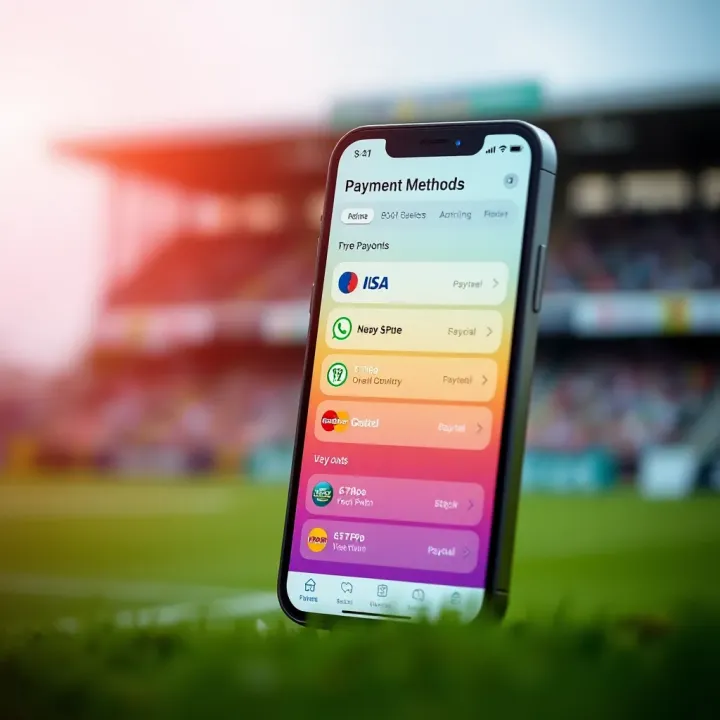
🎯 Download Easywin sports betting app in Nigeria with clear steps 📱 Explore features, payment options, account setup & smart tips for responsible betting 👌
Based on 8 reviews